 Language
 arabic

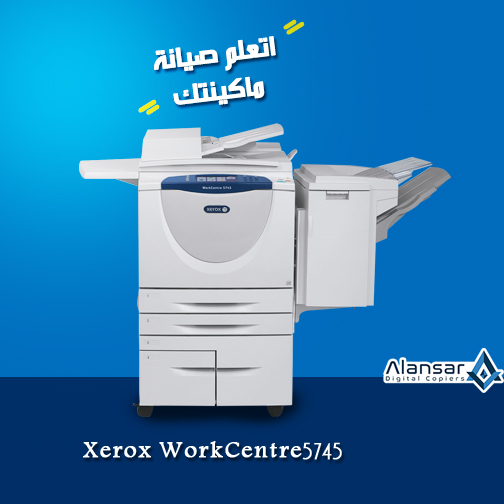
The Xerox WorkCentre 5745, one of the most popular Xerox black and white photocopiers in the Egyptian market, is handled by many on a regular basis. Like other models, it sometimes hangs.
With Al-Ansar Foundation, we guarantee the stability of the machine and the failure of the machine
The client's lack of technical knowledge of the machine makes him unable to identify the malfunction, and know whether he can deal with him or he needs technical support.
In this article we talk about the most common malfunctions in the Xerox WorkCentre 5745 black and white copier, as follows:
1- Crammed heater.
2- Replace toner cartridge
First: Crammed heater:
There is a natural path for the paper to walk since the machine is given the printing order, where it comes out of the tray to the dram and then to the heater and then to the outside or turn on the other side to print on it.
But sometimes the paper breaks down at the heater, causing an insect - a paper jam - these have many reasons:
1- Heater nails are damaged or broken, which leads to disruption of the paper path inside the machine causing paper jam, and the solution here is to change it.
2 - disruption or damage to the sensor ruler heater, which leads to cramming Alaqq heater, and the solution here change the ruler full nails.
3 - the presence of ink lump on the nail fingernail nail one of them, which causes the insect, and therefore the problem will not be solved only by cleaning and remove the ink lumpy.
4 - rupture of the oiler roll responsible for reducing the temperature of the heater, cleaning the upper roller, and reduce the moisture in the paper.
The solution is to cut the ripped part, and re-install the roller again.
5- Sometimes the oiler roll is over, the ink accumulates on the upper roller, causing the heater to cram, and the solution is to change the whole roller.
scound: You receive a Replace toner cartridge message
This message indicates a malfunction in the Xerox 5745 ink circle, as the ink does not reach the Difloper tank.
This malfunction has several possibilities:
First, there is no ink inside the cartridge, and the solution is to replace it with an original one.
Second: Disruption of the motor tank Devlopr responsible for moving the cartridge continuously until the ink reaches the tank; because there is ink or exhaust on his body, it must be cleaned.
The electronic board or the motor itself may have been damaged, which causes the tank to fail and no ink arrives.
It is advised in such faults to hire a specialist engineer, to repair the faults and identify the damaged part of the machine and change it if necessary.
Dear reader, you should know that paying attention to machine cleanliness is an essential factor in maintaining it. Most machine problems are caused by the customer's lack of interest in the organization of internal machine components.
Al Ansar Office Equipment has highly qualified and experienced engineers to solve all photocopier malfunctions.
The company also provides its customers with the possibility of comprehensive maintenance of the cameras (Umrah) to maintain, and ensure stability without failure.
Our engineers arrive and report you on the condition of the machine, parts that need maintenance, and others that must be removed and replaced with genuine parts.
In the end, you can make the final decision, in the possibility of maintenance of the photocopier, and Ansar also provide you with all the original spare parts at reasonable prices.