 Language
 arabic

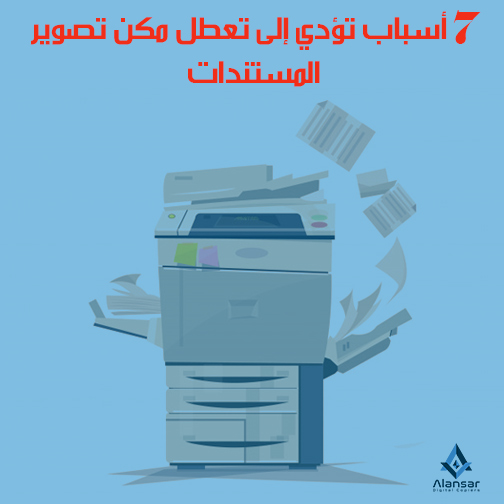
Document breakdowns are abundant.This is what worries customers constantly, because any malfunction in these machines causes their business to fail completely.Most of these failures result from misuse or mishandling of photocopiers, and most of these customers are unaware of the correct ways to deal with them.
Paper jam is the most common malfunction in document imaging
In this article, we talk about seven things that cause customers to disrupt the possibility of photocopying documents, as follows:
-
Frequent dust on the photocopier
Dirt is the archenemy of the documents, which makes them look faint, due to the presence of dust on the lenses and mirrors.
As dust is one of the most important factors of the phenomenon «paper jam», you must know dear reader that these machines are very sensitive to dust.
There are dedicated covers for cameras that can be used to keep them from dust, but let them cool for a while and then cover them.
-
The use of blower in cleaning machines
We recommend cleaning the photocopying machine continuously, but this does not mean that we use (blur) to clean them, these machines have optical sensors.
Reaching the dust causes it to stop working and crashes completely, so it is advisable not to use any tools that blow the air.
The customer can use a cotton cloth to clean the machine, and when wiping the machine mirror it should be done in a circular motion.
-
Turn off the machine by pulling the power outlet
All photocopies can be copied with a button to turn it off and on, which is the only way that it can be turned off or turned on properly and does not disrupt it.
Some turn off photocopiers by pulling the power outlet directly, causing the board or circuit to break down.
A machine failure may cause the machine to get out of warranty or be permanently damaged.
Many companies are advised not to connect the photocopier directly to the power supply.
-
Use non-original inks
The use of original inks made possible by photocopiers and filtered by the manufacturer is very important to keep them from malfunctions.
Some people resort to non-original inks that damage the machine's dram and devolper, as well as frequent paper jams.
Do not clean the tow bobbin
Customers are always advised to clean the suction rollers with paper trays that enable photocopies of documents, so as not to cause paper jams.
-
Use inappropriate paper